Jan 19, 2026
🤖 Vibe Coding Learnings v1
AI
Originally published here
I recently started the AI Daily Brief AI Missions challenge. Knowing that I would be building 10 separate, but potentially related projects, I thought it would be best to invest some time in building a system that I could leverage for each project—something to reduce my time prompting or thinking about what to do next.
I'm currently working on the 2nd mission but thought I'd start documenting some of the lessons learned so far.
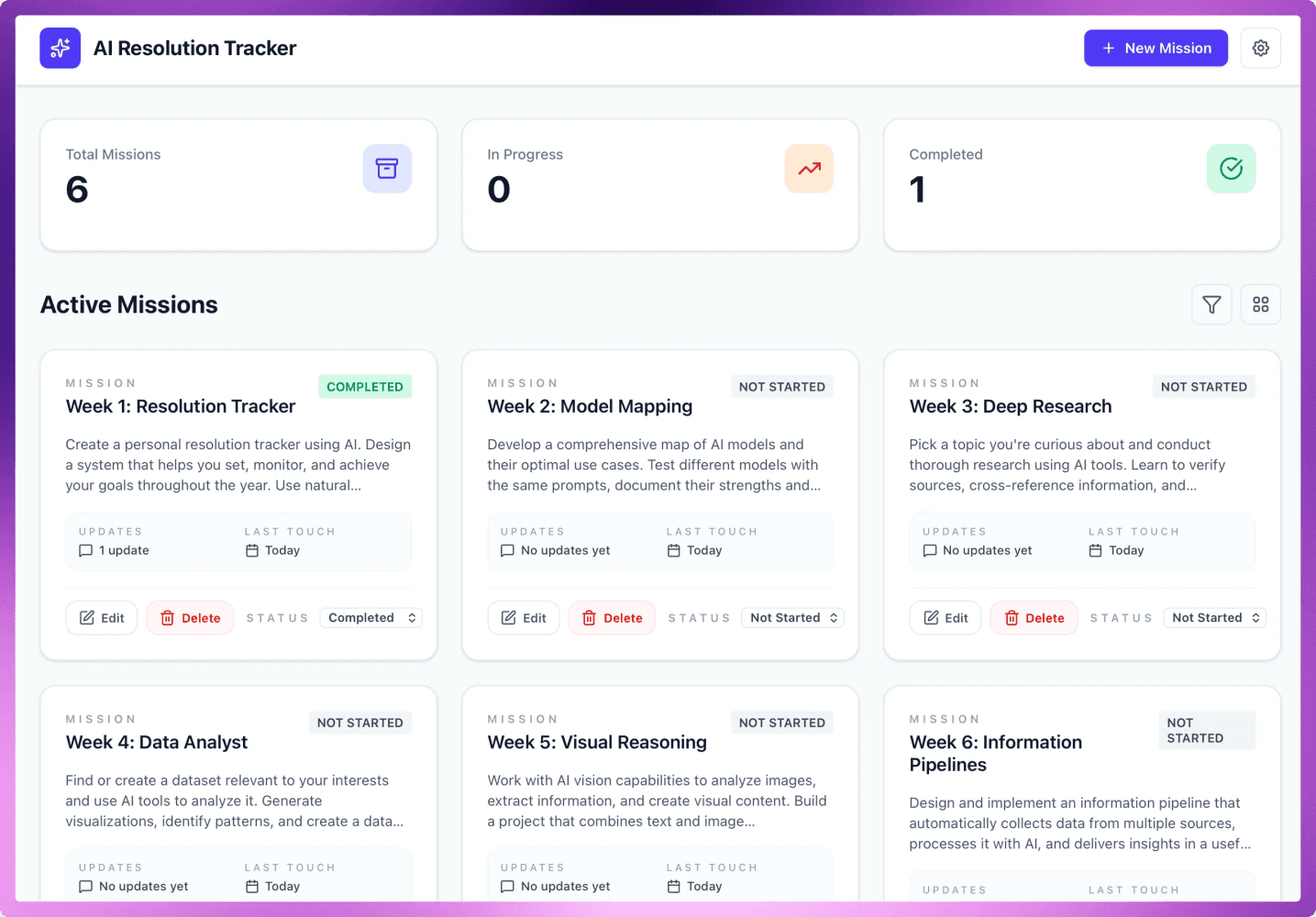
First Mission was a Mission Tracker
Lessons Learned
1. Setting Up Your Vibe-Coding System
Invest time upfront in a reusable framework. Create an AGENTS.md file that outlines:
Core principles - Your non-negotiables for how you want to work with AI
Agent roles - Product Manager, Tech Lead, Designer, etc. Create separate .md files for each role with their specific instructions
Workflows - Define what each agent can and should do
Quality gates - Standards that must be met before moving forward
This initial setup pays dividends across every project you build.
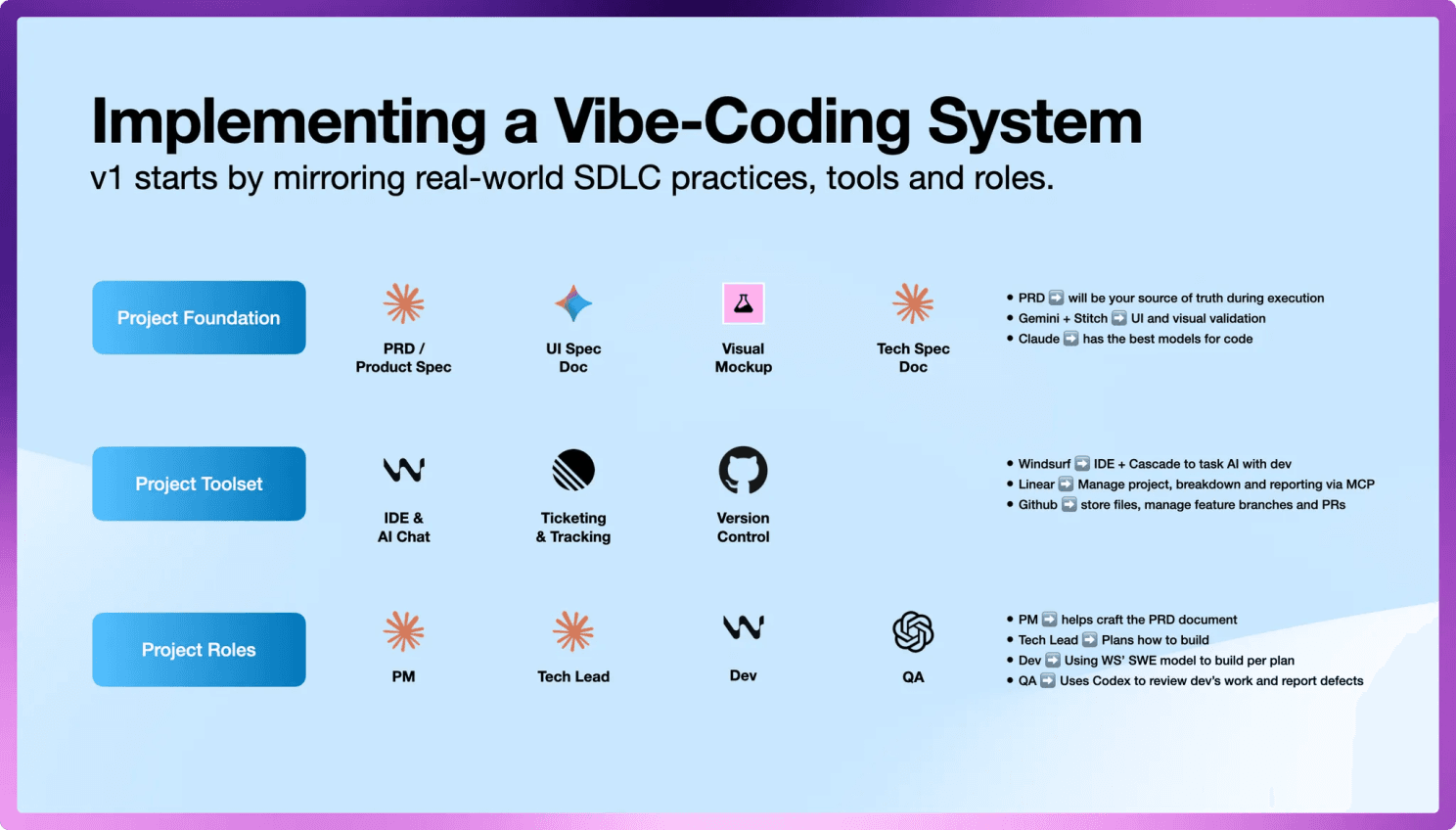
Vibe-Coding System
2. The PRD is Your North Star
Before you start prompting to build, use AI to craft a detailed PRD. Your Product Spec should outline:
What your project is about
What you're trying to accomplish
Integrations needed
Tech stack you want to use
Functional and non-functional requirements
This becomes your guiding light moving forward. You'll reference the PRD every time you start a new conversation/cascade/chat. This helps your AI agents stay true to the plan and not hallucinate or deviate by implementing functionality that wasn't in the scope.
3. Prototype First, Then Build
Don't jump straight into coding. Before spinning up agents to tackle tickets, build a one-shot prototype using your PRD.
Use tools like Lovable or Stitch to help visualize and confirm that what you're about to build is what you actually had in mind. You can then leverage the prototype as your starting point and a key artifact to reference as you build out the full implementation.
4. MCPs: Powerful But Inconsistent
MCPs are very useful for eliminating context switching. I've been using MCPs (Linear, Notion, Supabase) to save me from constantly switching tools or copy/pasting content.
That said, MCP use can be hit or miss. Not every time is the AI (regardless of model) able to successfully use the MCP server. In transparency, I've seen the issue mainly with the Linear MCP—and I do have 2 Linear MCPs installed (the official one and a custom implementation that I need to extend capabilities like creating project updates).
I likely need to learn more about optimal MCP configuration and usage patterns.
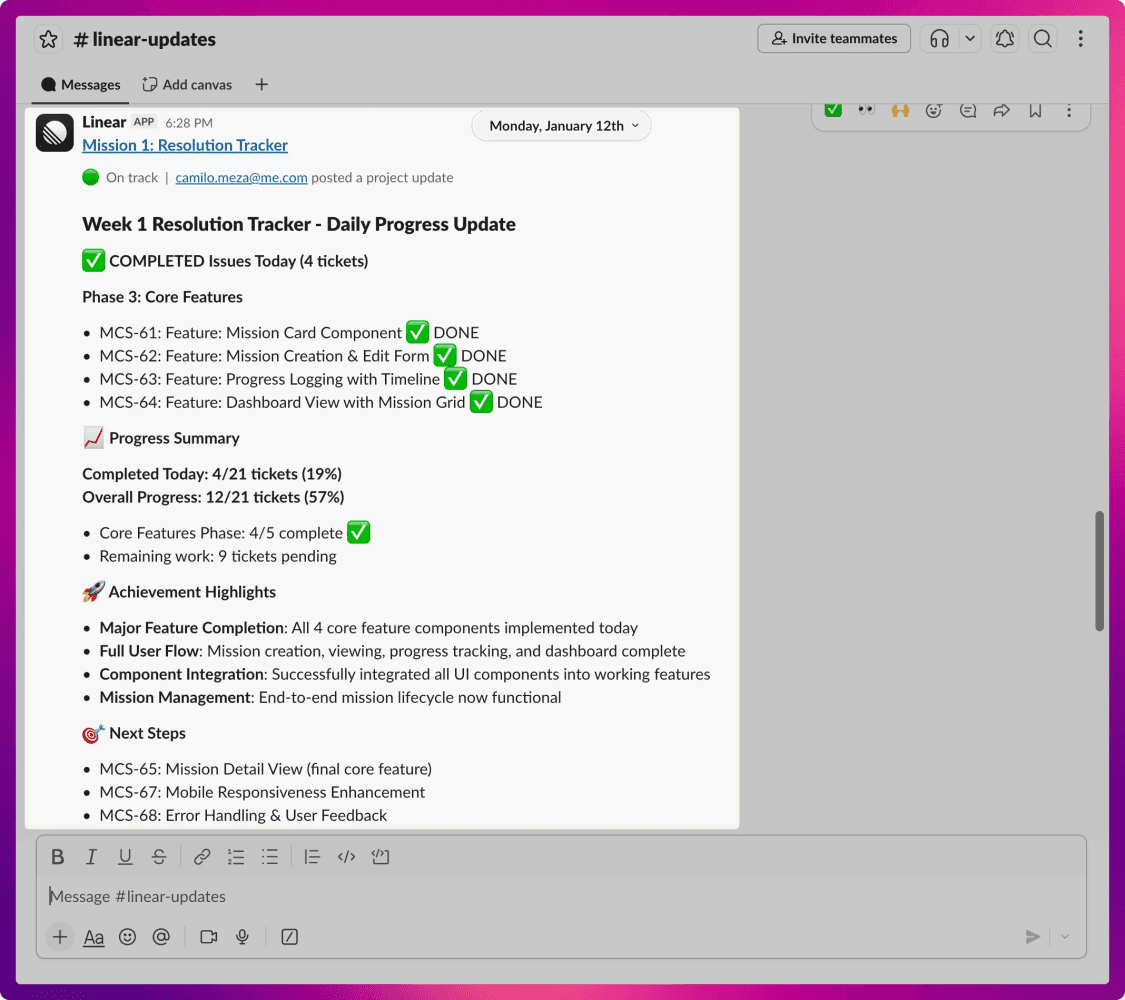
Example of a Slack post triggered by Windsurf creating a project update in Linear via MCP
5. Use the Right Model for the Right Job
Different models excel at different tasks. Don't default to one model for everything. This multi-model approach catches more issues and produces better results than relying on a single model.
My current approach:
Claude's Opus or Sonnet - For preparing implementation plans. More expensive but really good at strategic thinking and coding.
Windsurf's SWE model - For implementing the plan and writing code. This is the cheapest model and generally good at following the implementation plan laid out by Claude.
GPT Codex - For QA/code review. You get this for free in Windsurf so it works really good to check on what SWE did.
Gemini 3 - I'm really pleased with what Google's Stitch do in terms of mockups and prototypes. I've extended the use of Gemini 3 into Windsurf for UI related specs and implementations.
Aside - I can see why people are raving about Claude Code. There have been many instances where SWE or Codex get into this loops where they can't figure out why something is not working. I give the same task to Opus or Sonnet and they immediately push through the issue, identify the root cause and the solution. It reflects why they are so much more expensive.
6. Automate Your Routine Prompts
Use workflows (or skills in Claude) to "automate" repetitive tasks. Some workflows I've built:
/draft-update - Reviews what's been done and drafts a project update following my template
/post-update - Uses the Linear MCP to create a project update with the approved version
/code-review - Provides QA instructions, defect prioritization framework, and standardized format for results
These workflows save enormous amounts of time on tasks you do every single session.
What's Next: Questioning the Process
Here's the big question I've been pondering: Are we working with AI the right way?
My default was trying to emulate the roles, processes, and steps we use today in traditional software development. But I'm debating if there's a better way.
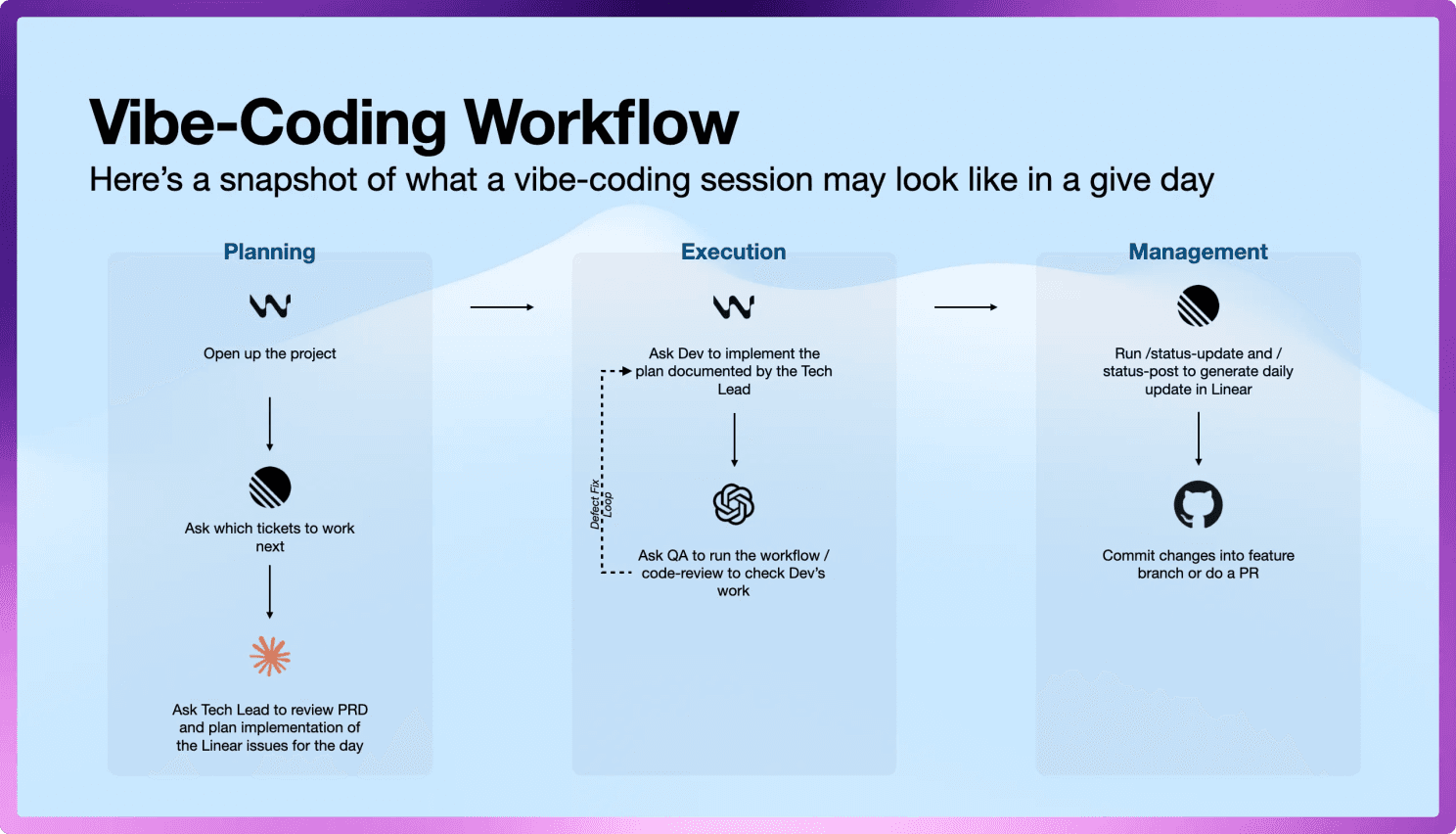
Emulating traditional SDLC roles and procedures
For example, I started with a TPM agent and workflows to break the PRD into Linear issues. I'm finding this actually adds more steps and granular work that leads to longer lead times before having a tangible starting point for the product. It has also led to omitting key integration work that connects all the functionality together.
This goes against one of the great shifts in AI: how fast we can spin up prototypes.
Maybe in the next project I try:
Starting with the prototype first
Axing the TPM agent entirely
Leveraging the PRD as the single ticket (or only a handful of tickets)
I want to see if that leads to a better flow of work—one that embraces AI's strengths rather than forcing it into human-designed processes.